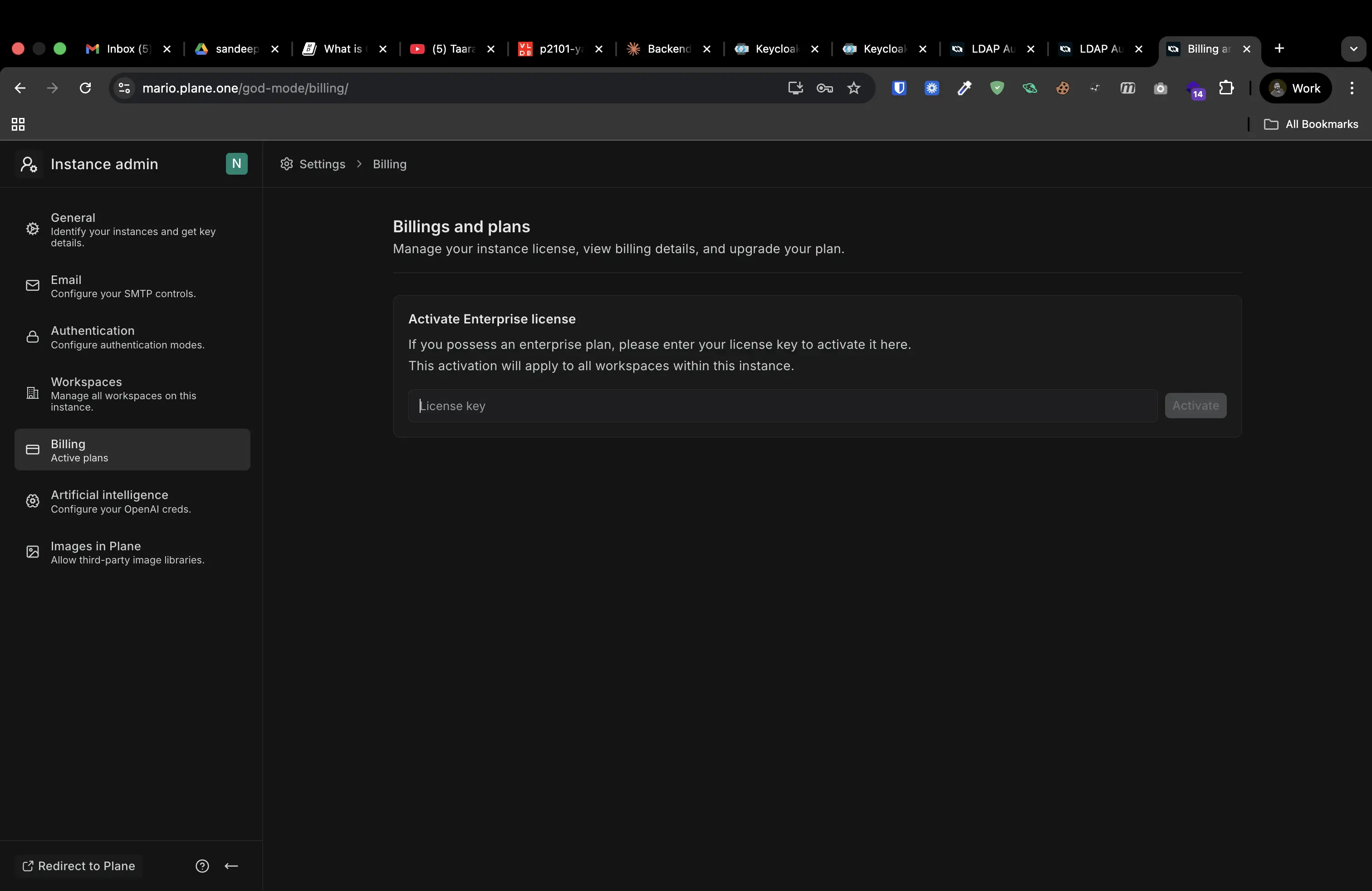

Enterprise plan licenses are activated at the instance level through God Mode, not through individual workspace settings. This gives instance administrators centralized control over Enterprise features across all workspaces.Documentation Index
Fetch the complete documentation index at: https://developers.plane.so/llms.txt
Use this file to discover all available pages before exploring further.
Activate license key
- Sign in to the Prime portal with the email address you used to purchase your Enterprise plan.
- Navigate to Manage licenses.
- Copy the license key for your Enterprise plan.
- Sign in to your Plane instance in God Mode.
- Select Billing from the left pane.
- Paste your license key in the Activate Enterprise license field.
-
Click Activate.