> ## Documentation Index
> Fetch the complete documentation index at: https://developers.plane.so/llms.txt
> Use this file to discover all available pages before exploring further.
# Github OAuth
Plane also supports GitHub OAuth so your users can sign-in with GitHub instead.
## Configure Plane as an OAuth app on GitHub
1. Log in to your [GitHub account](https://github.com/).
2. Click your profile's avatar and navigate to **Settings.**
3. Click **Developer Settings** and then **OAuth Apps**.
 4. Click **Register a new application**.
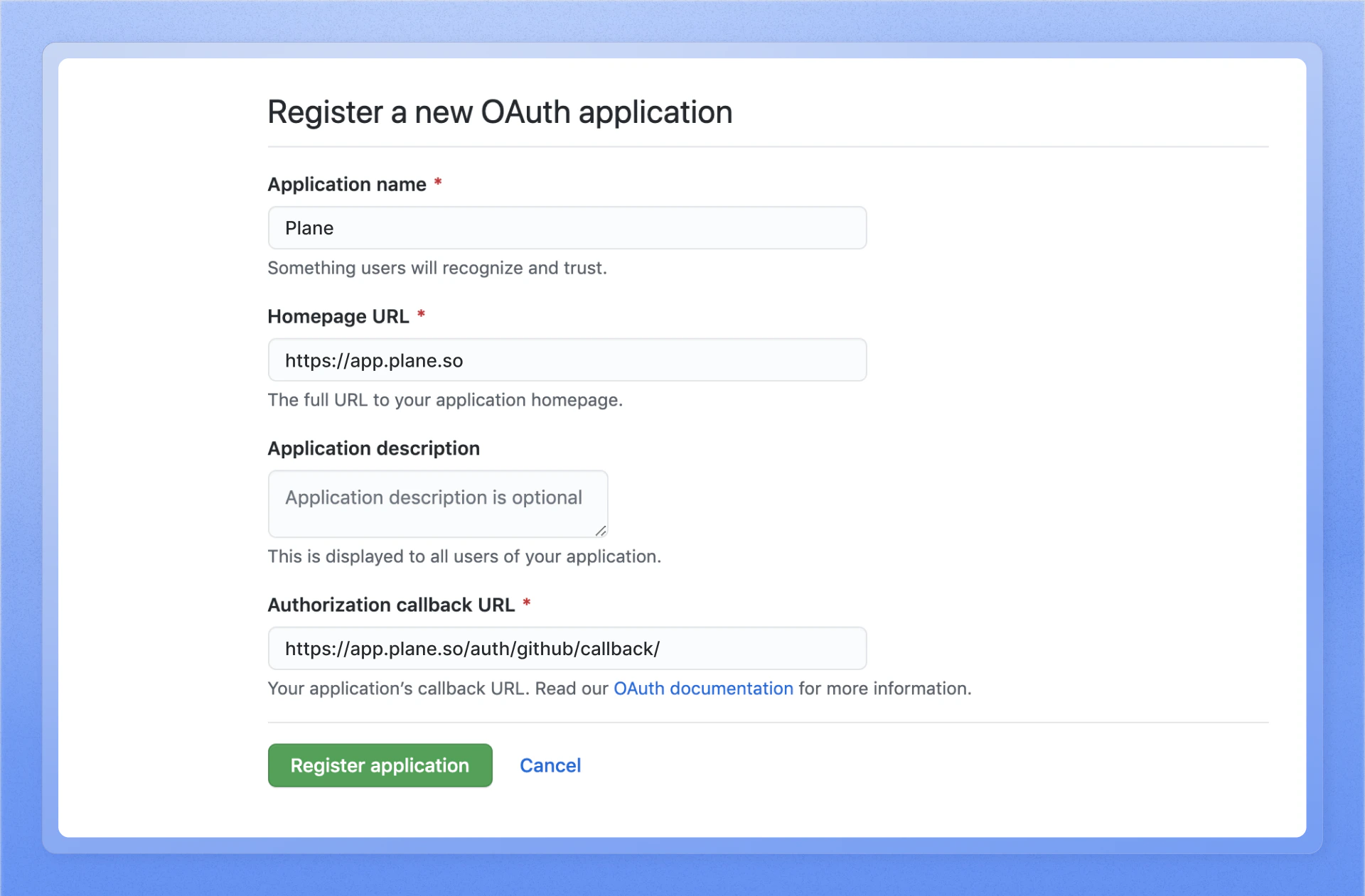
5. Configure the following OAuth credentials for your Plane app.
1. **Homepage URL**\
The domain, with HTTPS, on which you host Plane, e.g., `https://app.plane.so`
2. **Authorization Callback URL**\
Append the path that users should be redirected to after they have authenticated with GitHub. e.g., `https:////auth/github/callback/` and `https:///auth/mobile/github/callback/` where `` is your self-hosted instance's domain.
6. Click `Register application` to save it.
4. Click **Register a new application**.
5. Configure the following OAuth credentials for your Plane app.
1. **Homepage URL**\
The domain, with HTTPS, on which you host Plane, e.g., `https://app.plane.so`
2. **Authorization Callback URL**\
Append the path that users should be redirected to after they have authenticated with GitHub. e.g., `https:////auth/github/callback/` and `https:///auth/mobile/github/callback/` where `` is your self-hosted instance's domain.
6. Click `Register application` to save it.
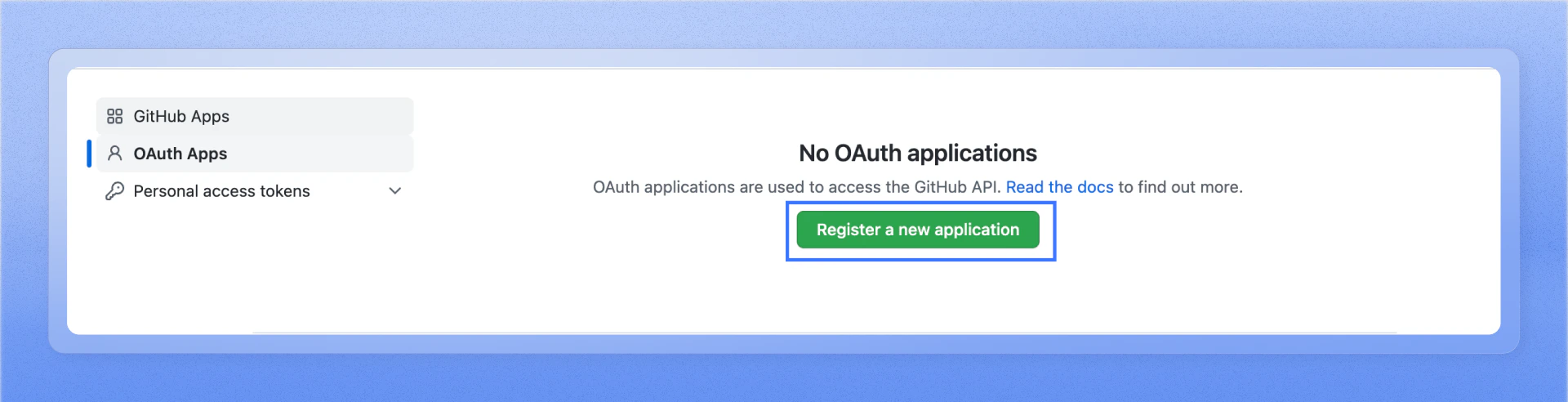 7. Find the app you just registered and click through to find the client ID and the client secret. You will need this for the next steps.
## Configure Plane
7. Find the app you just registered and click through to find the client ID and the client secret. You will need this for the next steps.
## Configure Plane
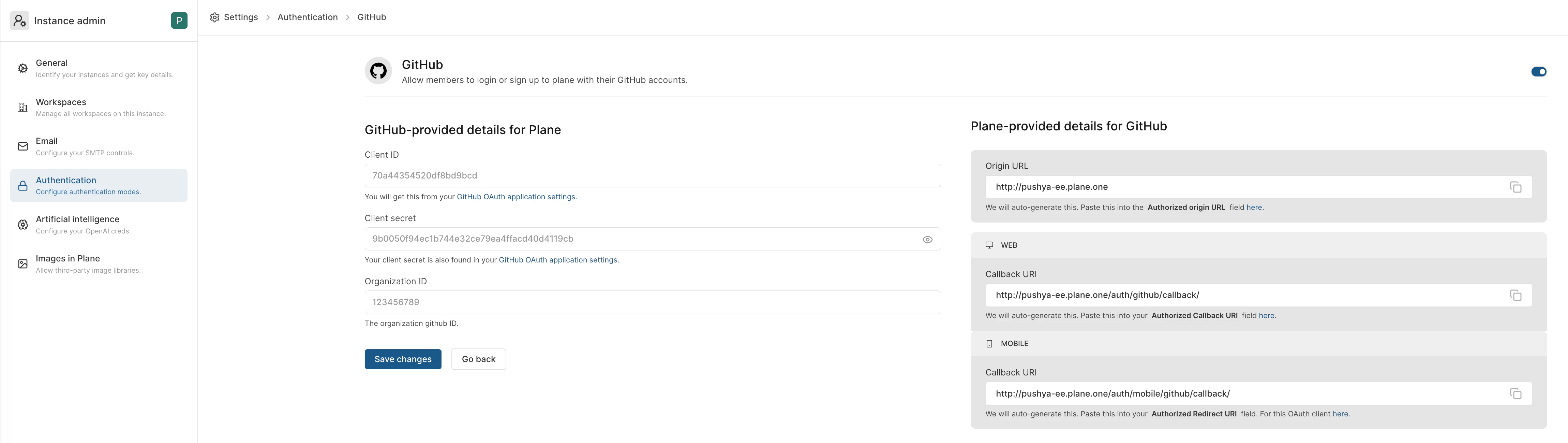 1. Go to `GitHub` on the Authentication screen of `/god mode`.
2. Add the client ID + the client secret from the GitHub app you just registered.
3. Click `Save `.
Your Plane instance should now work with GitHub sign-in.
1. Go to `GitHub` on the Authentication screen of `/god mode`.
2. Add the client ID + the client secret from the GitHub app you just registered.
3. Click `Save `.
Your Plane instance should now work with GitHub sign-in.